


WooCommerce is the world’s most-used ecommerce platform. It’s free, open-source, and friendly for beginners. Yet even with WooCommerce’s many out-of-the-box features, you might still want extra options to elevate your store.
The WooCommerce Marketplace offers a catalog of powerful WooCommerce plugins (known as “extensions”) that expand functionality for ecommerce sites. For example, you’ll find email marketing tools, inventory control, and social media integrations. Even better, many are totally free. These high-quality, no-cost tools are one reason WooCommerce stands out as a top Shopify or BigCommerce alternative.
In this guide, we’ll begin by explaining how to evaluate and pick the right WooCommerce extensions. After that, we’ll cover 14 of the best free choices to help take your shop to the next level.
How to choose the best WooCommerce extensions
If you’re hunting for free WooCommerce plugins—what we’ll call “extensions” in this article (since WooCommerce itself is a WordPress plugin)—you’ll discover there are plenty of options. To help you select the best tools for your ecommerce site, keep these key factors in mind:
-
Customer reviews
After a WooCommerce extension gathers some feedback, you’ll see a Reviews box below the Add to Cart button on its product page. Clicking Reviews jumps you to the bottom, where you can view how many shoppers rated it five stars (or less).
Even better, you’ll see separate scores for ease of use and support, displayed as percentages out of one hundred. Need more context? Read the comments left by real users. This helps you judge reliability and usefulness, plus how well the extension plays with other tools.
If a free plugin shows no reviews, it’s likely very new or lightly adopted. In that scenario, weigh other signals—like the listed developer’s reputation—or choose an alternative with stronger credibility.
-
Recent and ongoing updates
Updates are vital for any software; they often ship fixes for bugs and security issues. They also keep extensions compatible with the newest WordPress and WooCommerce releases.
Regular updates also indicate the team remains active and improving the product, which is always reassuring. You can inspect an extension’s update history by opening the Latest Version box (beneath the Add to Cart button). You may also check compatibility notes, required PHP and WordPress versions, and whether the developer maintains a public changelog. Stable release cadence and timely support responses are positive signs. If an extension lists tested WooCommerce versions, verify they match your site before installing it on production Always test on staging first
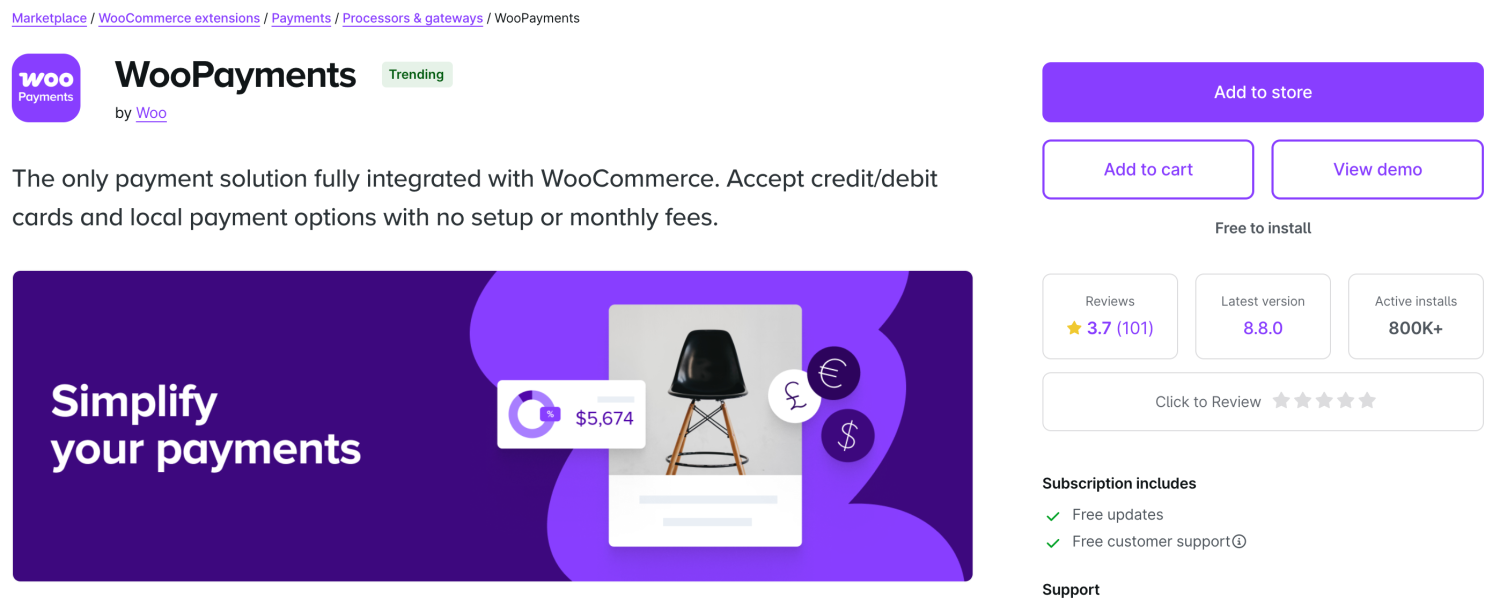
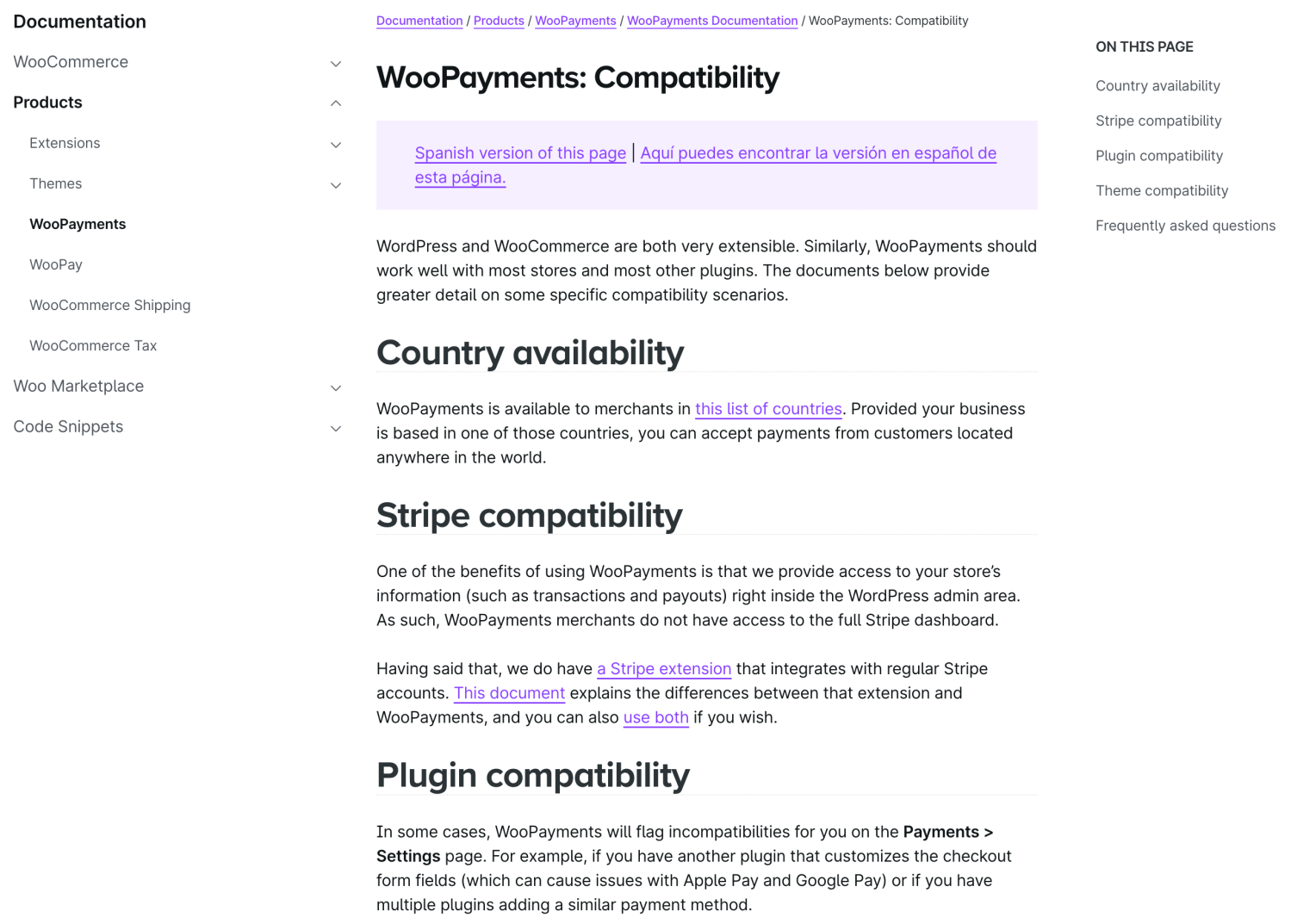
For instance, WooPayments lists details about supported payment gateways and compatible themes that work with the extension. Sometimes these notes are folded into the main description instead, so it’s smart to read everything carefully from start to finish.
-
Customer support
Another hallmark of top free WooCommerce extensions is the availability and caliber of their customer support. If something breaks or you find setup difficult, you need a quick path to resolution.
Often, you’ll see whether support is included with your plan beneath the Add to Cart button. That section outlines exactly what’s provided. You can also click the See support policy link for specifics on what the service covers.
Because WooCommerce extensions share similar foundations, you can often fix common problems yourself using the self-service guide or by reviewing the frequently asked questions. There’s also a lively community forum you can tap into.
-
Active installations
How many people use an extension can hint at its quality. To check, look at the Active installs box below the Add to Cart button.
The most popular tools may show hundreds of thousands of installs. In general, it’s wise to favor extensions with at least a few hundred installations.
This gives you more confidence in the tool’s reliability and credibility. It also suggests that previous adopters continue to use it, which signals clear, ongoing value.
Do note that if you’re hunting for a highly specialized extension with niche functionality, it may naturally have a smaller install base.
-
Screenshots
A great way to understand what a WooCommerce extension does is to review any included screenshots. These visuals can be more revealing than text, giving you a practical sense of the interface and how features behave.
Not every listing includes screenshots, but when they do you’ll often see both front-end and back-end views, showing how it appears in your dashboard and on the Shop page.
Also scan the documentation. You’ll frequently find additional imagery there, along with step-by-step instructions that demonstrate ease of use.
-
Frequently asked questions
A final check is the FAQs at the bottom of the product page. Not all extensions offer a dedicated FAQ, but many do, and it’s an efficient way to verify capabilities, limits, and common solutions before installing. Fast SLA.
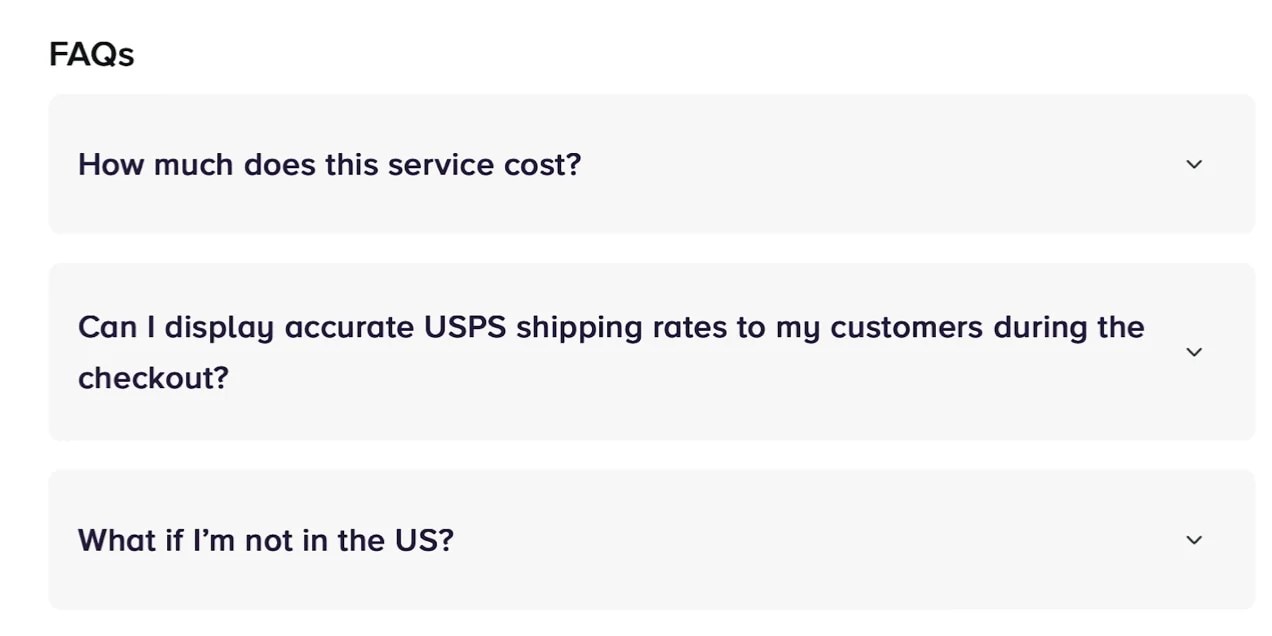
Here, you’ll find guidance on installing and configuring the tool. You’ll typically see any prerequisites for using the extension—such as needing a WordPress.com account. You can also often confirm whether the tool is available in your specific country or region.
14 of the best free WooCommerce extensions
Now that you know how to evaluate free WooCommerce extensions, let’s dive into 14 top options for your ecommerce site. You’ll find solutions for critical tasks like shipping, taxes, marketing, and more.
1. WooCommerce Shipping
If you want a free tool that lets you ship orders, WooCommerce Shipping is a very great pick. It allows you to print USPS and DHL labels directly in your dashboard.
That saves time and effort—you won’t need to prep parcels at the post office anymore. You also avoid copying and pasting order data into other apps, reducing errors and repetitive work. Plus, you’ll unlock discounted carrier rates too.
Securing cheaper labels and passing those savings to shoppers matters because shipping costs are a leading cause of cart abandonment. And if you offer free shipping to drive top conversion rates, every rupee saved makes a real difference to your margins and profitability.
Price
WooCommerce Shipping is a free extension with no monthly charges or hidden fees. You’ll also save on USPS and DHL postage thanks to built-in discounts applied at purchase.
2. WooPayments
WooPayments is the only payment solution built to fully integrate with WooCommerce. Collect payments, manage disputes, and handle recurring revenue (with WooCommerce Subscriptions) from a single dashboard.
It’s available in 35+ countries. If eligible, you can accept major cards, local methods, and digital wallets like Apple Pay and Google Pay.
It also supports buy now, pay later options—AfterPay, Klarna, and Affirm—without extra monthly or setup fees.
Conversions get a lift with an on-site checkout (no third-party redirects) and multi-currency support (135+), automatically showing prices in a shopper’s preferred currency.
Selling offline too? Qualified stores can take in-person payments via card reader—or use Tap to Pay on iPhone and Android with no extra hardware.
Payouts are flexible: send funds to your bank daily, weekly, or monthly; U.S. merchants can also request instant, on-demand payouts.
Price
Free to install and activate, with guided onboarding for account creation and verification. Standard transaction fees apply, as with any processor.
3. Google for WooCommerce

If you want to expand your reach and attract more buyers, Google for WooCommerce is among the strongest free extensions. It syncs your catalog with Google Merchant Center.
After that, you can publish products for free across Google surfaces—Search, Maps, YouTube, and beyond.
You can also spin up paid campaigns to amplify visibility. A standout perk is its use of AI to refine targeting, showing your offers to shoppers who are truly interested.
Like WooPayments, it lives inside your WooCommerce dashboard, streamlining your workflow. And with a cost-per-click model, you only pay when users actually click.
Price
Google Listings & Ads is a free WooCommerce extension. The no-cost tier is highly useful, and you can add paid ads anytime to boost exposure.
4. Jetpack

You might know Jetpack as one of the most popular WordPress plugins. You can also use its WooCommerce extension to leverage this all-in-one security tool for your WordPress website.
The Jetpack extension comes with tons of useful features, including automated vulnerability scanning, which can help prevent downtime and other issues. Plus, you’ll get access to brute force protection and authenticated user logins to verify customers’ identities.
Better yet, premium plans allow you to create real-time backups of all your WooCommerce store and customer data, get real-time malware scanning, anti-spam protection, and more.
Price
This Jetpack extension is completely free. There are also various low-cost Jetpack plans with added features.
5. WooCommerce Tax

One of the trickiest parts about running an ecommerce store is calculating sales taxes. With this in mind, you can use an extension like WooCommerce Tax to automatically calculate how much tax should be collected for orders based on city, country, or state.
The best part about this extension is that, once it’s set up, you can go about your business without worrying about calculating sales tax for each order. Instead, the taxes will be collected on your checkout page based on your WooCommerce store address.
If you’re required to charge taxes in jurisdictions beyond your store location, you’ll need to add tax rates via a tax rate table. Larger stores, and those with more complicated tax obligations, may need to find an additional, standalone tax extension.
The extension supports a range of locations including Canada, the U.S., the U.K., Australia, and more. All you need is a WordPress.com account to connect your WooCommerce store with WooCommerce Tax.
Price
The WooCommerce Tax extension is completely free. You’ll just need a WordPress.com account to establish a connection.
6. Klarna Payments

Klarna Payments is one of the best free WooCommerce extensions if you want to offer your customers flexible payment options. You can take direct payments, offer ‘buy now pay later’ solutions, and accept installment plans in a smooth, one-click process.
Here are some of the options available with Klarna:
- Buy now, Pay later: Customers can try out a product for an extra 14 to 30 days before paying
- Pay later in installments: Customers can split payments into three or four smaller amounts
- Slice it: Long-term payments made each month for larger purchases
- Pay now: Standard, immediate payments
With this extension, you’ll get access to a Klarna-hosted widget that fits right into your existing checkout page. You can tailor your offerings with preferred or optimal payment options for certain customers or products. Plus, you can activate on-site messaging and view customer insights.
Price
It’s free to create a Klarna account, access the Klarna Merchant Portal, and install the extension. However, there are transaction fees, like with any other payment processor.
7. Afterpay

Like Klarna Payments, Afterpay also adds flexibility to the checkout page and overall process. Customers can purchase items but pay in four installments over six weeks. U.S. customers can opt to pay monthly over six or twelve months.
The good news is that you’ll get paid within days of the purchase. It’s Afterpay that takes on all the risk associated with customer fraud. It’s also great for customers, since there are no interest fees added to payments.
Better yet, you can increase your conversion rate with a fast Express Checkout experience, which is popular with shoppers. It’s good for international stores as well, since customers can pay in their preferred currencies and you’ll get paid in your own local currency.
Price
Afterpay is completely free to install on your WooCommerce site. Afterpay charges store owners a small per-transaction fee and customers are charged fees for late payments.
8. Jetpack CRM
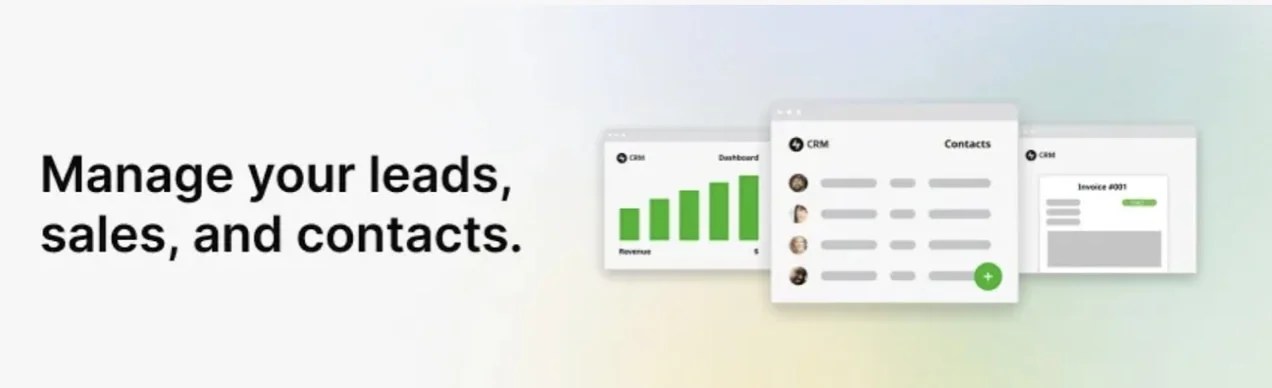
If you’re looking to nurture leads and manage customers from a central location, Jetpack CRM is one of the best options. It stores all your business data (like contact records, order details, and customer activity) inside a customer relationship management (CRM) system.
Each customer and lead will have their own Contact in the CRM. Their history with your WooCommerce store — from purchases to interactions — is all kept in one place. This allows you to keep track of valuable information like their preferences and birthday, then reach out to them at the perfect time to nurture them down your sales pipeline.
You can also segment your customers based on the information you know about them, then send emails to keep them informed and encourage future sales. Want to improve your customer service? Having all of this information on hand helps you come across as invested and informed when they reach out to you.
Price
You gain a lot with the free version of Jetpack CRM. There are also paid plans with additional features starting at $11 per month.
9. Jetpack Search

Jetpack Search enables your customers to quickly find the products they’re looking for, even if they don’t remember the exact name or SKU. This is especially useful for stores with a wide range of products and pages to sift through.
Without advanced WooCommerce search functionality, visitors can become frustrated by the length of time that it takes to find relevant content. As a result, conversion rates plummet.
But Jetpack Search provides an intuitive experience with instant results that adjust as users refine their query. The tool has amazing filtering options that customers love, and it’s smart enough to work past typos and understand complicated searches. Plus, it can be customized both in design and in the results it returns to boost credibility and get visitors to your most important pages.
Price
Jetpack Search is free for 500 monthly requests and 5,000 records. If you require more than this, or you want to remove the Jetpack branding, you can upgrade starting at $8.50 per month.
10. Facebook for WooCommerce

Facebook for WooCommerce is one of the best WooCommerce extensions for increasing customer engagement. This valuable tool allows you to sell across multiple platforms — including Facebook, Instagram, and WhatsApp — which helps you expand your audience and grow your business.
Looking to list your products directly on Facebook? This extension makes that process simple and automatically syncs information from your product catalog like inventory levels and pricing with your WooCommerce store.
Want to create Meta ads? You can design them right in your WooCommerce dashboard.
What about offering better customer service? You can add Messenger to your WooCommerce website to respond to customer queries even after they’ve left your website.
Price
Facebook for WooCommerce is completely free to install.
11. Google Analytics for WooCommerce

You’re probably familiar with Google Analytics for its ability to help you understand customer behavior and keep track of important metrics. You can use the Google Analytics for WooCommerce extension to integrate the platform directly into your WooCommerce store.
Track data about user behavior — what marketing channels attract the most visitors? Which blog posts have the lowest bounce rates? Which products have a lot of traffic, but poor conversion rates? How can you keep customers on your Shop page?
Google Analytics is an incredibly powerful tool that can inform your marketing, product development, and site development decisions. Don’t run a store without it!
Price
This extension is completely free.
12. Pinterest for WooCommerce

Do you offer visual products like toys, clothing, or home decor? Pinterest is an excellent opportunity for you to connect with potential customers and engage existing ones.
The Pinterest for WooCommerce extension syncs your product catalog with Pinterest, so all the information on social media is up-to-date and accurate. You can convert all of your items into highly-engaging browsable Pins in one fell swoop and quickly add the Pinterest tag to your site to stay on top of data.
Price
The Pinterest for WooCommerce extension is 100% free.
13. Vimeo for WooCommerce

[Sat, 2025-11-08 03:37:24 pm PKT • Lahore, Pakistan]
Videos are a proven way to boost product interest and showcase key features—especially when your offer is complex or has nuanced functionality.
But embedding YouTube can undercut that value: visitors may be forced through ads, or see “related” videos that promote competitors.
Vimeo offers private hosting with deep control over the viewing experience—from player branding to post-video actions (show specific clips, request email signups, or open a landing page).
All of it is ad-free and delivered in ultra-high quality.
Install the Vimeo extension to make adding videos effortless. Vimeo can even auto-create videos from existing site assets—like product images.
Price
The Vimeo extension is free to use, but a plan is required. Free tiers exist; premium plans and extra storage start at $12/month when billed annually.
14. TikTok for WooCommerce
With 1B+ users, your next customer is scrolling TikTok. The official extension unlocks powerful tools to build engaging ads, target ideal audiences, and measure performance.
You can launch campaigns directly from the WooCommerce dashboard.
It also syncs your catalog with TikTok Shop so you can sell natively. Ready for influencer marketing? The TikTok Affiliate program connects creators and merchants and handles commissions and payouts accurately.
Price
The extension is free. TikTok ad spend is optional and varies by campaign.
Frequently asked questions
Is WooCommerce free?
Yes. WooCommerce is open source and free to install on any WordPress site. It includes essentials like cart/checkout, built-in payment options, and key integrations. Extensions—free and paid—unlock more (taxes, shipping, payments, marketing, etc.).
Are WooCommerce extensions free?
Many are. You’ll also find freemium options with core features at no cost and premium upgrades for advanced functionality.
How do you install WooCommerce extensions?
From your dashboard, go to WooCommerce → Extensions to browse free and paid options. Click an item to visit the official WooCommerce store, then choose Add to Cart or Add to Store. Complete the (free or paid) checkout to download and install.
The best WooCommerce extensions for your online store
WooCommerce empowers everyone—from beginners to enterprises—to build successful stores, with optimized cart/checkout, pre-installed gateways, and inventory tools.
Free extensions let you go further: streamline transactions, cut shipping costs, improve search, sync social and email, refine checkout, and enhance support.
Activate free extensions right from your dashboard. Whether you want to track sales, grow your list, simplify tax, or add payment options, there’s plenty to explore. Dive into the WooCommerce extensions library today!



No comment